

Map channels to companies
Recordkite only logs channels you’ve mapped. Mapping a channel tells Recordkite which Attio company its conversations belong to.
The Channels page
Section titled “The Channels page”The Channels page lists every channel Recordkite has been added to, with Slack Connect channels first.

| Column | What it shows |
|---|---|
| With | The outside organisations in the channel |
| Status | Syncing once it’s mapped, or Not mapped |
| Company and Deals | The Attio records conversations are logged to |
| Conversations | How many conversations Recordkite has logged from the channel |
| Last activity | When the channel last had a conversation |
Use the Mapped and Not mapped tabs to filter the list. Internal channels (with nobody from outside your company) are listed under Internal. Only Slack Connect channels can be mapped.
Map a channel
Section titled “Map a channel”- Click Map next to the channel.
- Check the suggested Attio company, or search for another by name or domain.
- Choose any deals to link. The company’s open deals are selected for you.
- Click Save.
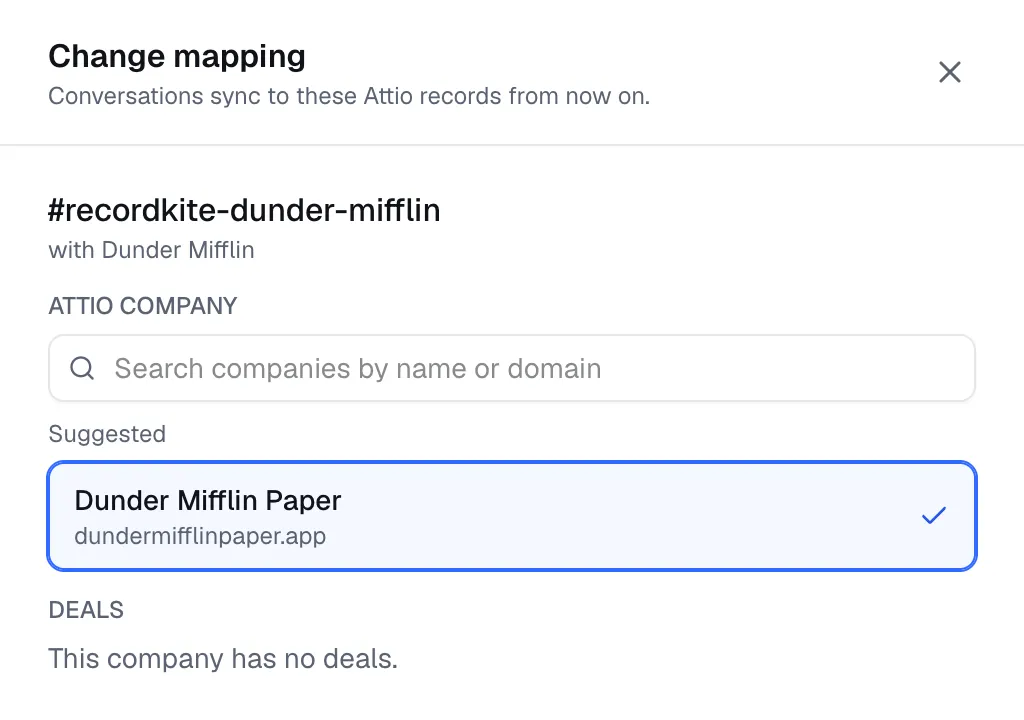
Recordkite suggests a company from:
- a company you’ve already confirmed for that Slack organisation, then
- the email domains of the outside people in the channel (ignoring personal addresses like gmail.com), then
- the Slack organisation’s name.
To map several channels at once, tick them and click Map N selected.
Change or remove a mapping
Section titled “Change or remove a mapping”- Edit changes the company or deals. New conversations go to the new records from then on. Conversations already in Attio stay where they are.
- Unmap stops logging the channel. Everything already in Attio stays there, and the channel no longer counts towards your plan.
Removing Recordkite from the channel in Slack, or archiving the channel, unmaps it automatically.
Channels with more than one outside organisation
Section titled “Channels with more than one outside organisation”A Slack Connect channel can include several organisations, for example your customer and their agency. Recordkite links each conversation to the company you mapped. Messages from an organisation you haven’t linked to a company still count towards the conversation, but nothing is linked to that organisation in Attio.
Who can map channels
Section titled “Who can map channels”Owners and Admins can map, edit and unmap channels. Members can see the Channels page but can’t change it. See Invite your team.
© 2026 Cranford Tech Limited. Recordkite is a trading name of Cranford Tech Limited, a company registered in England and Wales (company number 15069364). Not affiliated with Slack or Attio.
recordkite.com · Privacy · Terms · hello@recordkite.com