

Invite your team
Recordkite belongs to your organisation, not to the person who set it up. Invite as many teammates as you like: pricing is per channel, not per person.
Your teammates’ Slack messages are logged whether or not they use Recordkite. Inviting them lets them help link people and see what’s syncing.
| Owner | Admin | Member | |
|---|---|---|---|
| See channels, people and the team | ✓ | ✓ | ✓ |
| Resolve Who is this? | ✓ | ✓ | ✓ |
| Connect Slack and Attio, and map channels | ✓ | ✓ | |
| Invite and remove people, change roles | ✓ | ✓ | |
| See the activity log | ✓ | ✓ | |
| Manage Owners, billing, and delete the organisation | ✓ |
Invite someone
Section titled “Invite someone”- Go to Team and click Invite members.
- Enter their work email and choose a role.
- Click Send invitation.
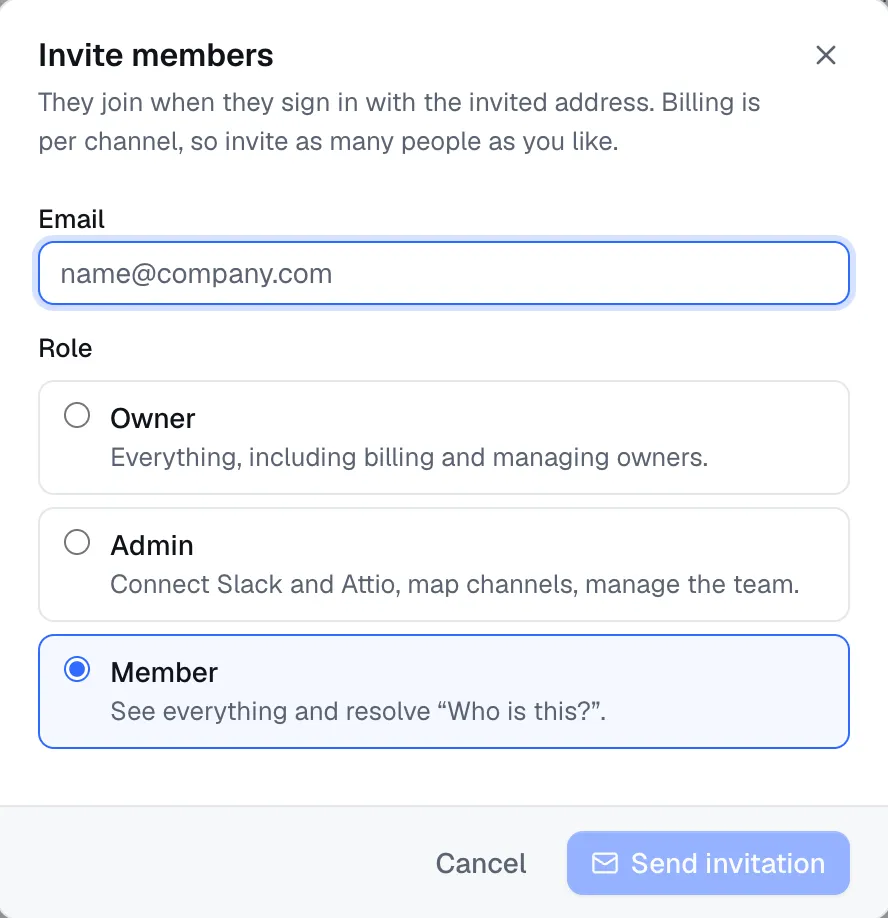
They get an email from Recordkite. They join when they sign in with the address you invited, so a forwarded invitation won’t work for anyone else. Invitations expire after 14 days.
On the Invitations tab you can Resend an invitation (which gives it another 14 days) or Revoke it.
Change roles or remove people
Section titled “Change roles or remove people”On the Members tab, Owners and Admins can change someone’s role or remove them. Anyone can leave an organisation.
Only an Owner can make someone an Owner, or change or remove an Owner. An organisation always needs at least one Owner, so the last Owner can’t leave or step down.
If you belong to more than one organisation, switch between them from the menu at the top left.
© 2026 Cranford Tech Limited. Recordkite is a trading name of Cranford Tech Limited, a company registered in England and Wales (company number 15069364). Not affiliated with Slack or Attio.
recordkite.com · Privacy · Terms · hello@recordkite.com