

How people are matched
For each mapped channel, Recordkite links the people in it to Attio, so conversations show on their Attio records as well as the company’s.
It matches people when you map a channel, and again whenever someone new joins it. In channels with more than 200 members, it matches people when they first post.
How Recordkite finds each person
Section titled “How Recordkite finds each person”People from outside your company:
| If… | Recordkite… |
|---|---|
| Their Slack email matches one Attio person | Links them automatically |
| Their name matches one person at the channel’s company | Suggests that person for you to confirm |
| Neither | Adds them to Who is this? for you to link |
People on your team are matched to your Attio workspace members by email. A teammate who isn’t an Attio member appears in conversations by name only.
Bots and apps are never linked.
Once someone is linked, Recordkite remembers the link and never changes it on its own.
The People page
Section titled “The People page”The People page has four tabs:
- Who is this? Outside people Recordkite couldn’t link for sure. Until you link them, they appear in conversations by name only.
- Linked People linked to an Attio person, and how they were linked.
- Ignored People you’ve chosen to keep out of Attio.
- Your team Your teammates, and whether each is an Attio workspace member.
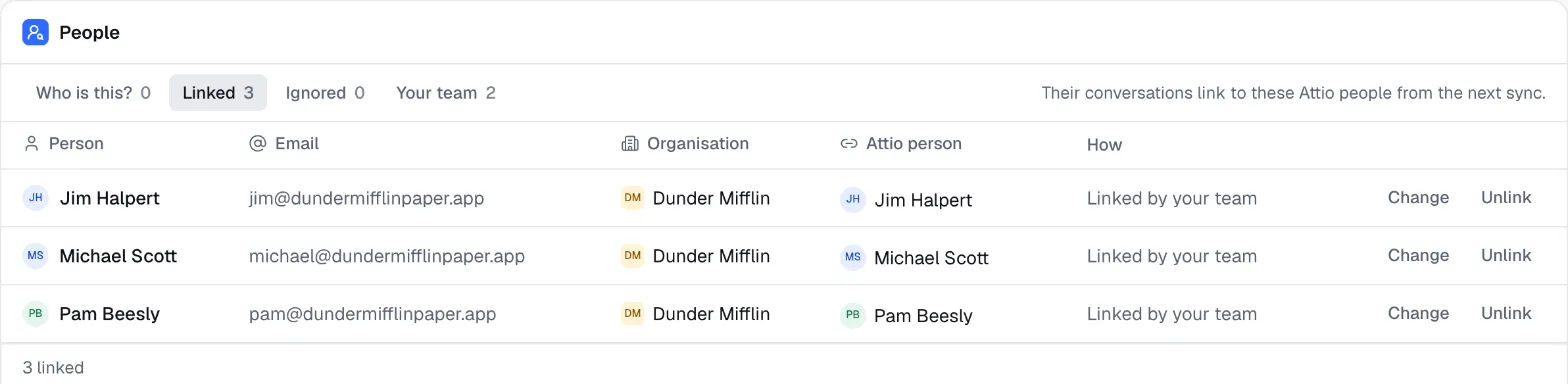
The People item in the sidebar shows how many people are waiting in Who is this?.
Resolve “Who is this?”
Section titled “Resolve “Who is this?””For each person in Who is this?:
- Confirm accepts Recordkite’s suggested match. Not them lets you pick someone else.
- Find in Attio opens a panel where you search Attio people by name or email and link the right one.
- Create in Attio (in the same panel) adds them to Attio under their company, with the email address Slack gave.
- Ignore keeps them out of Attio. Their messages still appear in summaries by name. You can restore them from the Ignored tab.
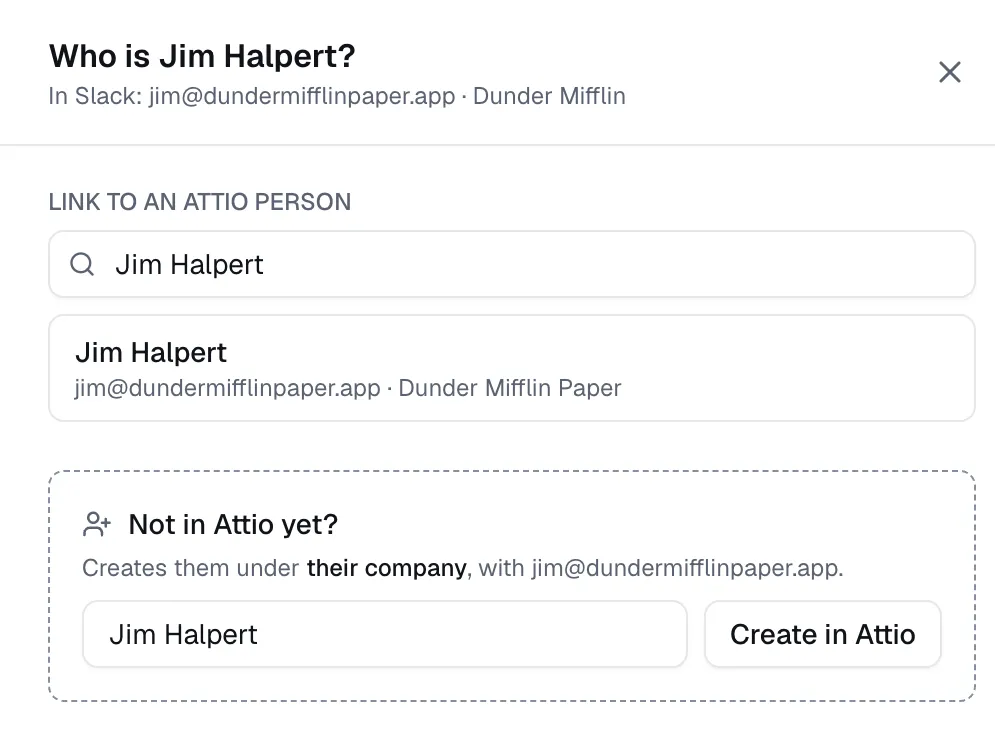
Anyone in your organisation can resolve Who is this?, including Members.
Change or remove a link
Section titled “Change or remove a link”On the Linked tab, use Change to link someone to a different Attio person, or Unlink to move them back to Who is this?. If the Attio person was deleted, you’ll see Deleted in Attio with a Link again option.
Why linking matters on Pro and Enterprise
Section titled “Why linking matters on Pro and Enterprise”An Attio activity needs at least one linked participant. Until someone in a conversation is linked (an outside person, or a teammate who’s an Attio member), Recordkite writes only the summary note and Last Slack interaction. The activity appears on the first update after someone is linked.
© 2026 Cranford Tech Limited. Recordkite is a trading name of Cranford Tech Limited, a company registered in England and Wales (company number 15069364). Not affiliated with Slack or Attio.
recordkite.com · Privacy · Terms · hello@recordkite.com