

What Recordkite adds to Attio
Recordkite writes one entry per conversation, not one per message, so your Attio records stay readable.
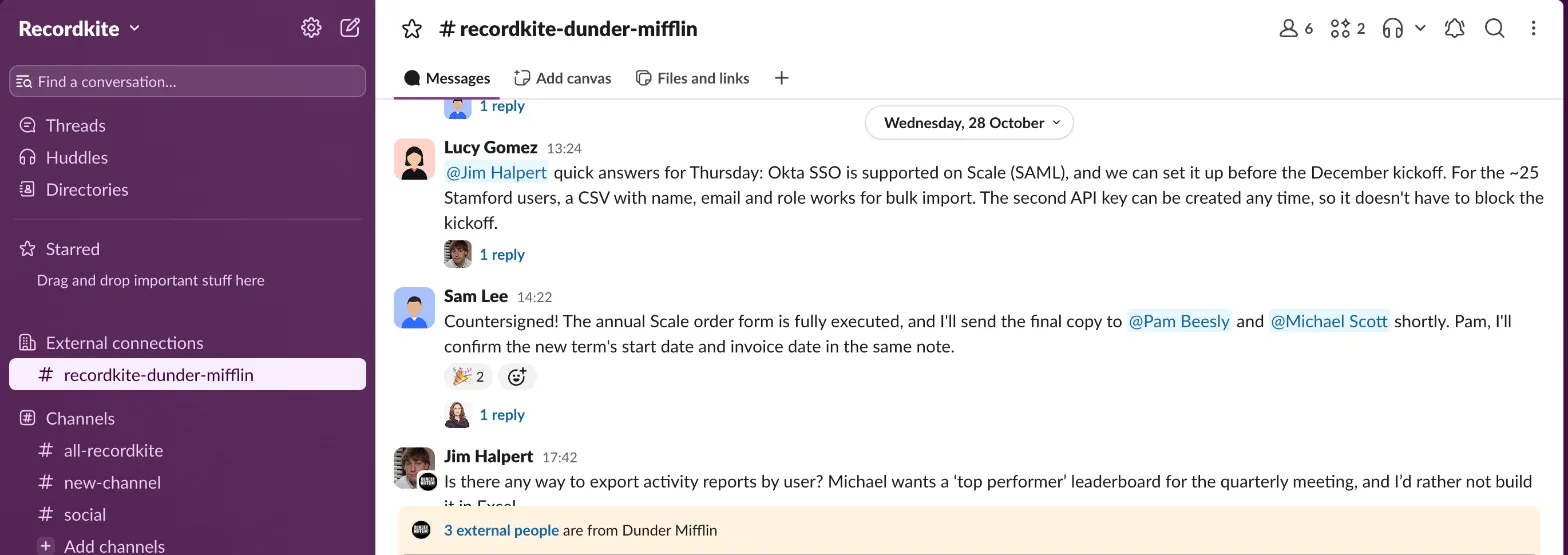
What counts as a conversation
Section titled “What counts as a conversation”- A thread (a message and its replies) is one conversation. Later replies update it, whenever they arrive.
- Messages outside threads are grouped into conversations by topic using AI. A conversation stays open while people keep talking about the same subject, and closes after 72 hours of quiet.
- Emoji reactions don’t count as messages, but they’re used in the summary (a 👍 on a question is an answer).
- Files are linked from Slack, never copied.
- Conversations with nobody from outside your company aren’t logged, even in a shared channel.
While a conversation is active, Recordkite updates Attio every 5 to 15 minutes.
Summary note (all Attio plans)
Section titled “Summary note (all Attio plans)”Each conversation gets a note on the mapped company, with:
- a title naming the channel and the topic
- a full AI summary, including any next steps
- who took part, and which organisation they’re from
- the channel, message count and time span
- a View in Slack link
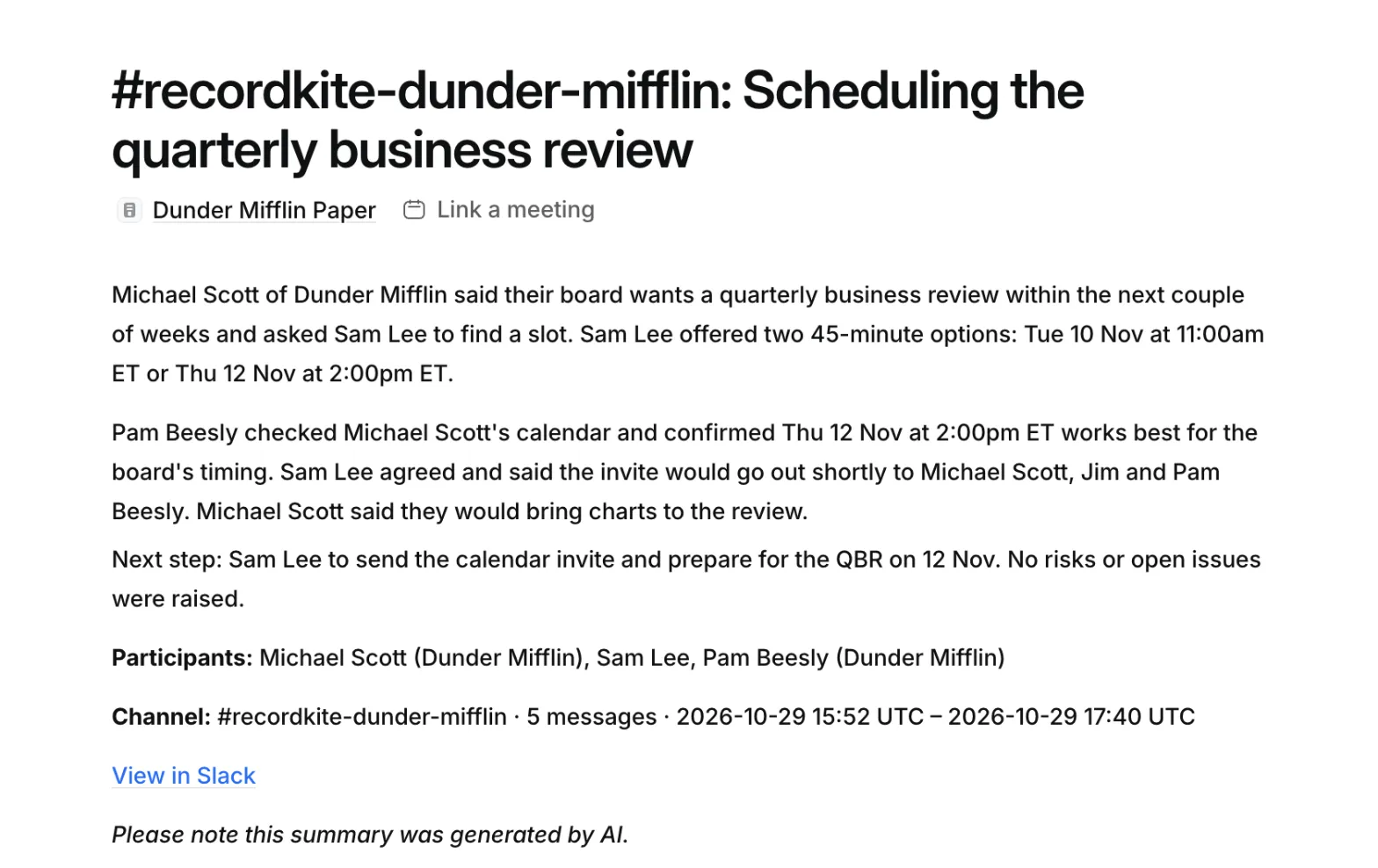
When a conversation gets new messages, Recordkite replaces its note with an updated one, so the latest conversations are always at the top of the company’s Notes. If someone in your team edits a note in Attio, Recordkite leaves that note alone and adds a new one instead.
Notes go on the company only. People and deals reach the note through the activity’s Full summary link.
Activity timeline (Attio Pro and Enterprise)
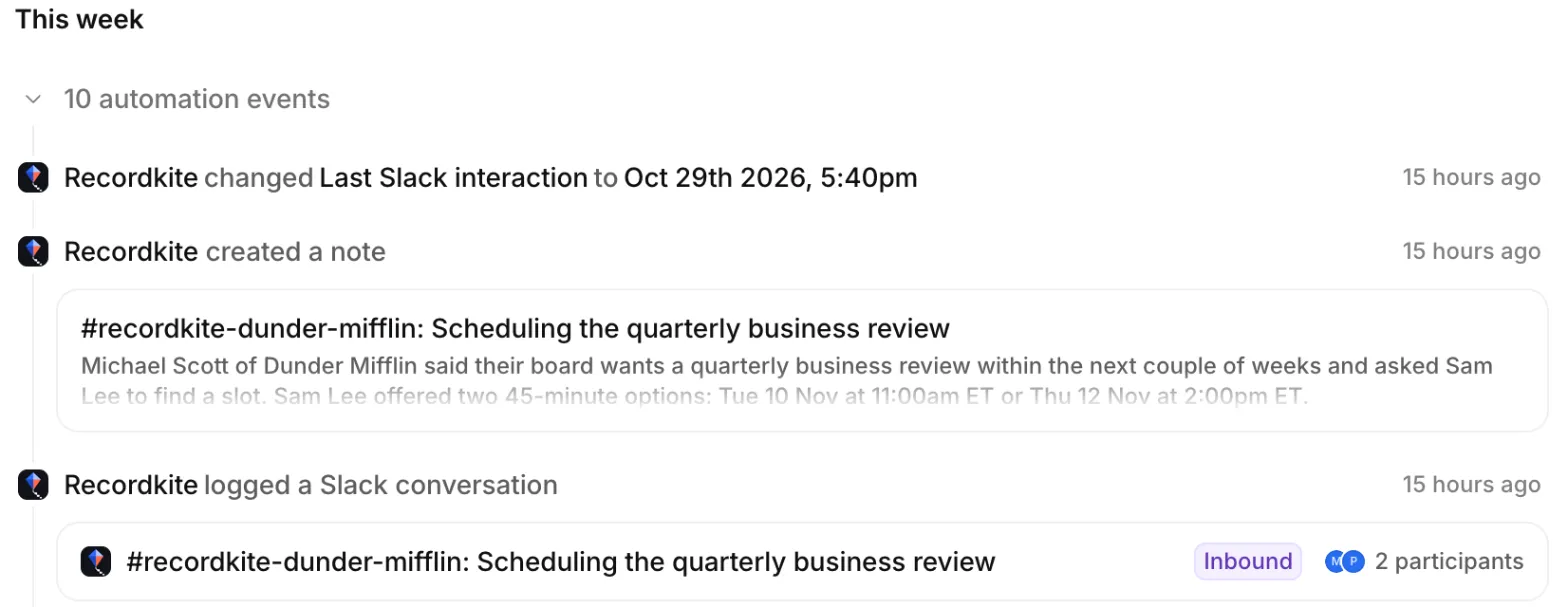
Section titled “Activity timeline (Attio Pro and Enterprise)”On Attio Pro and Enterprise, each conversation is also logged as a Slack conversation activity. It appears on the Activity tab of the company, the linked people and any mapped deals.
Open an activity to see its details:
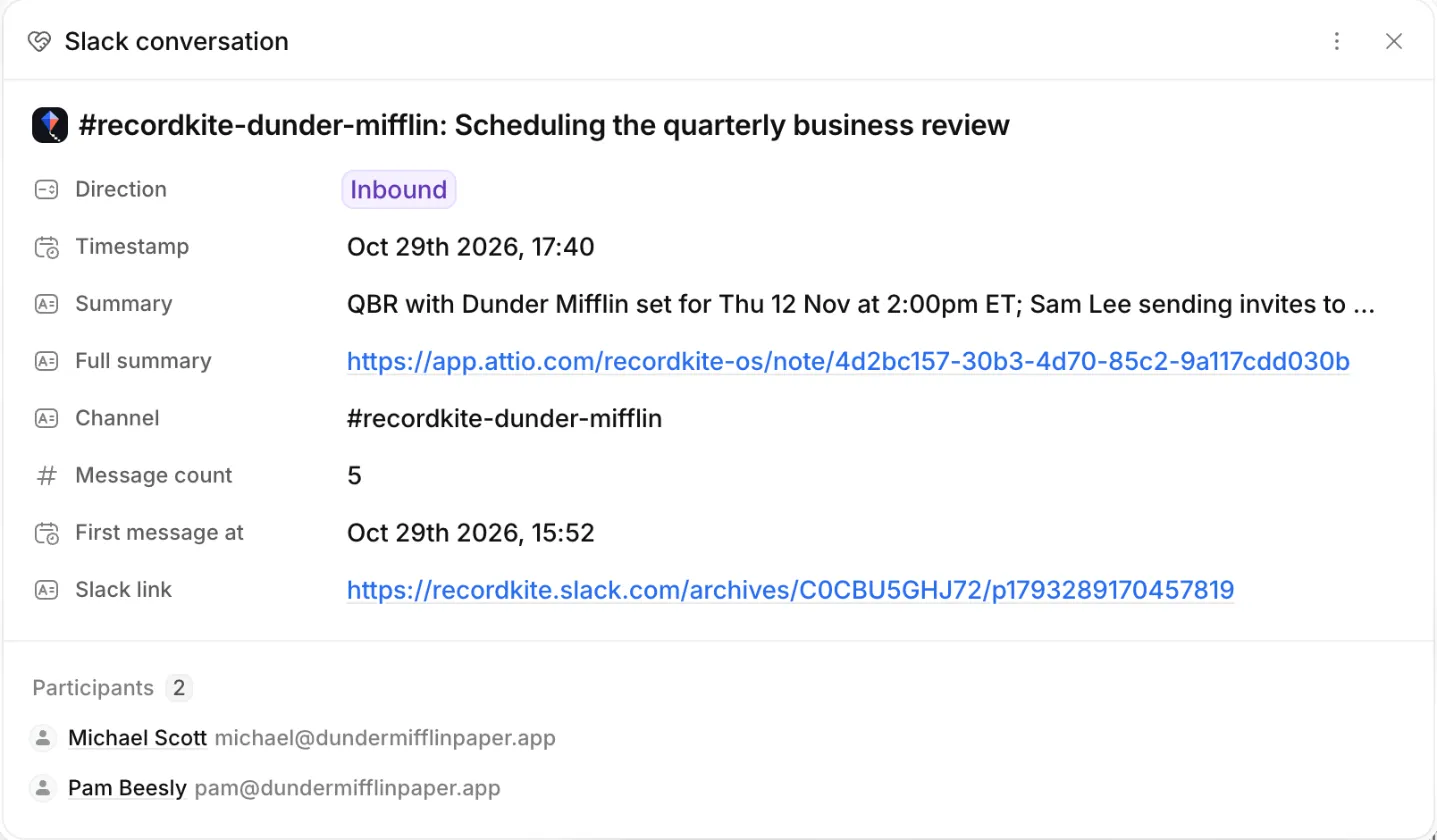
| Field | What it shows |
|---|---|
| Direction | Inbound if someone outside your company started the conversation, Outbound if your team did |
| Summary | A one-line AI summary |
| Full summary | A link to the conversation’s summary note |
| Channel, Message count, First message at | Where and when it happened |
| Slack link | Opens the conversation in Slack |
| Participants | The linked Attio people and workspace members who took part |
Attio groups entries written by apps into automation events on the Activity tab. Click the group to expand it.
Last Slack interaction (all Attio plans)
Section titled “Last Slack interaction (all Attio plans)”Recordkite keeps a Last Slack interaction date on the company, the linked people and any mapped deals. It only ever moves forward.
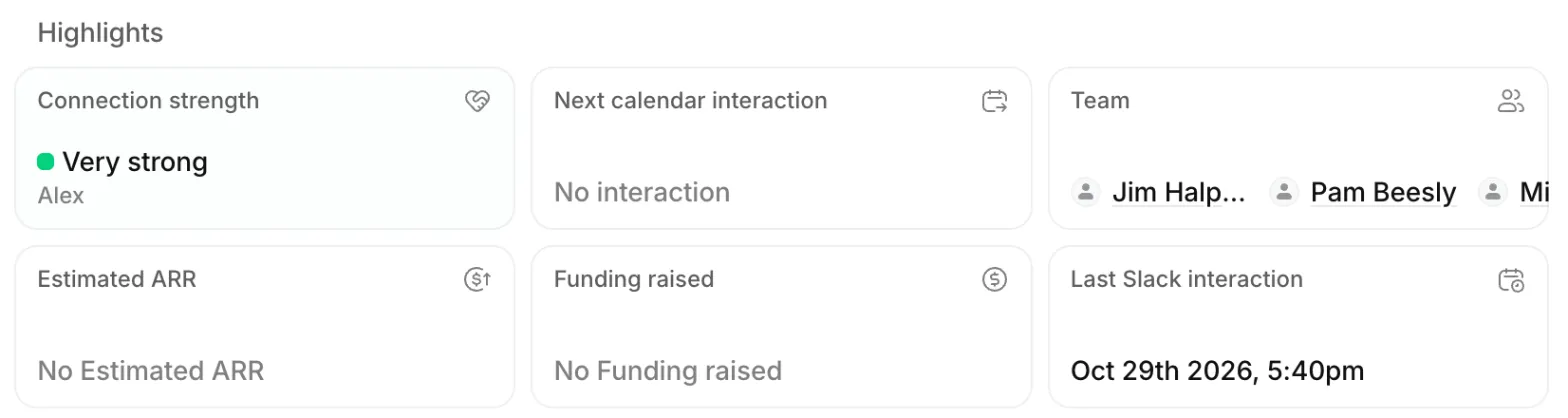
Attio’s own Last interaction only counts emails and meetings, so use Last Slack interaction to see when you last spoke in Slack. You can sort, filter and build views on it like any other attribute.
Edits and deletions in Slack
Section titled “Edits and deletions in Slack”If a message is edited or deleted soon after it’s sent, the next update reflects it. Recordkite doesn’t keep messages long after they’re written to Attio, so later edits may not change a summary that’s already been written. If all of a conversation’s messages are deleted, Recordkite removes it from Attio.
© 2026 Cranford Tech Limited. Recordkite is a trading name of Cranford Tech Limited, a company registered in England and Wales (company number 15069364). Not affiliated with Slack or Attio.
recordkite.com · Privacy · Terms · hello@recordkite.com